The Elements ODS app.
The whole Operational Delivery System in one place your team uses every week. Find out where you stand, plan the work, run the meetings and watch the six numbers move. Built for owners, and simple enough that someone on your own staff can lead it.
Opens 30 March 2027. Pricing will be announced at launch.
A look inside
See it running.
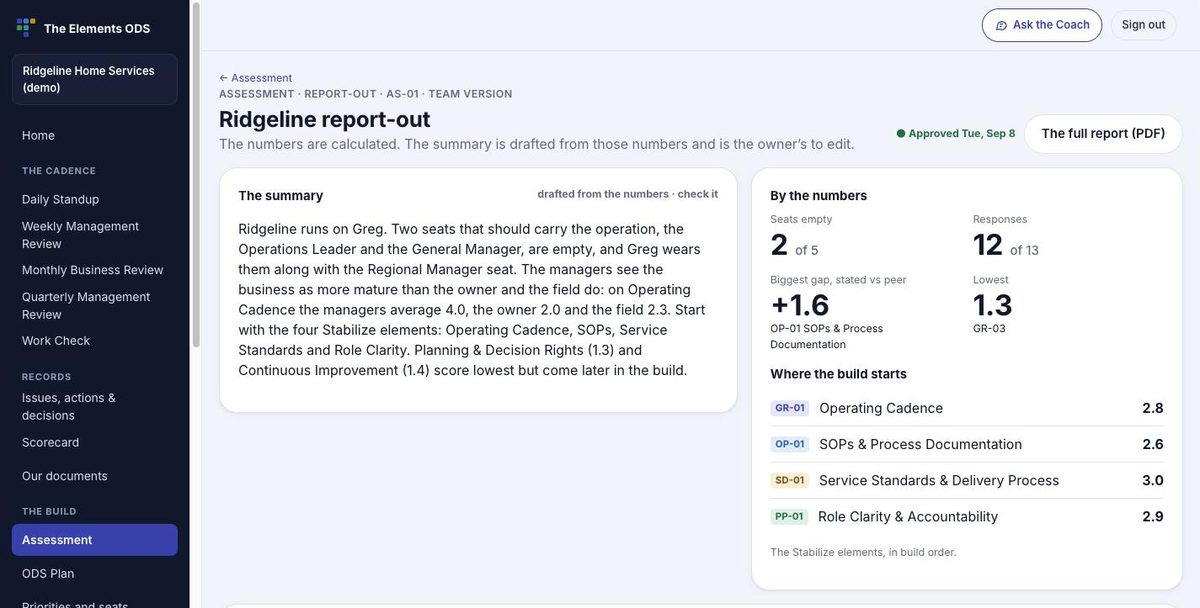
The assessment report-out. Where the business stands, the biggest gaps, and where the build starts, with a drafted summary the owner edits.
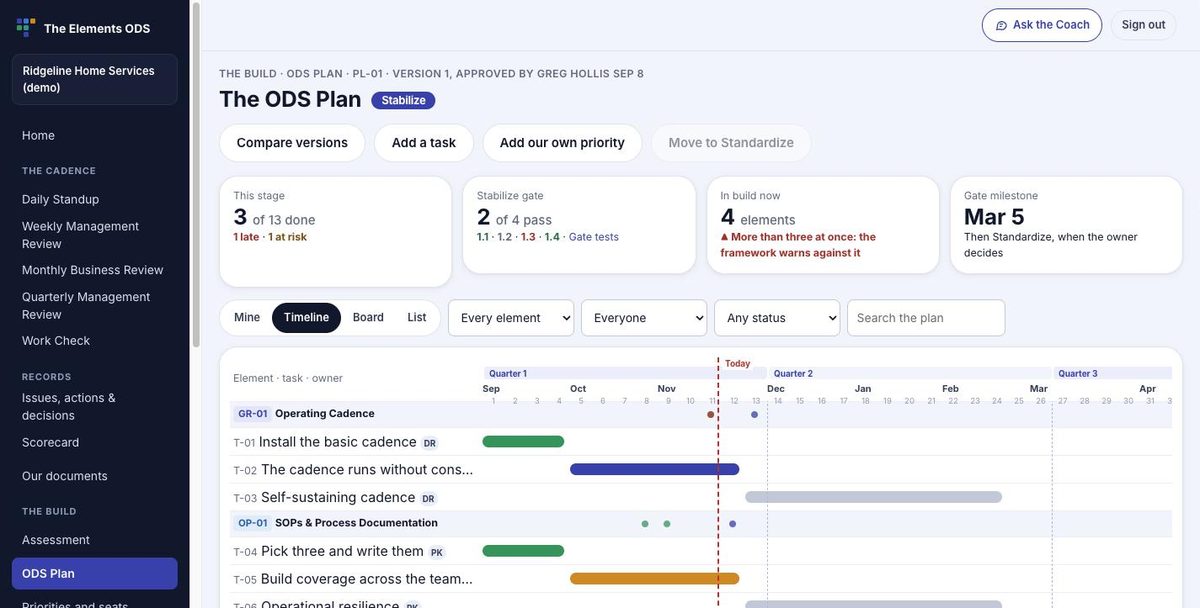
The ODS Plan. The build as a timeline: every task with an owner and a date, and the stage gate ahead.
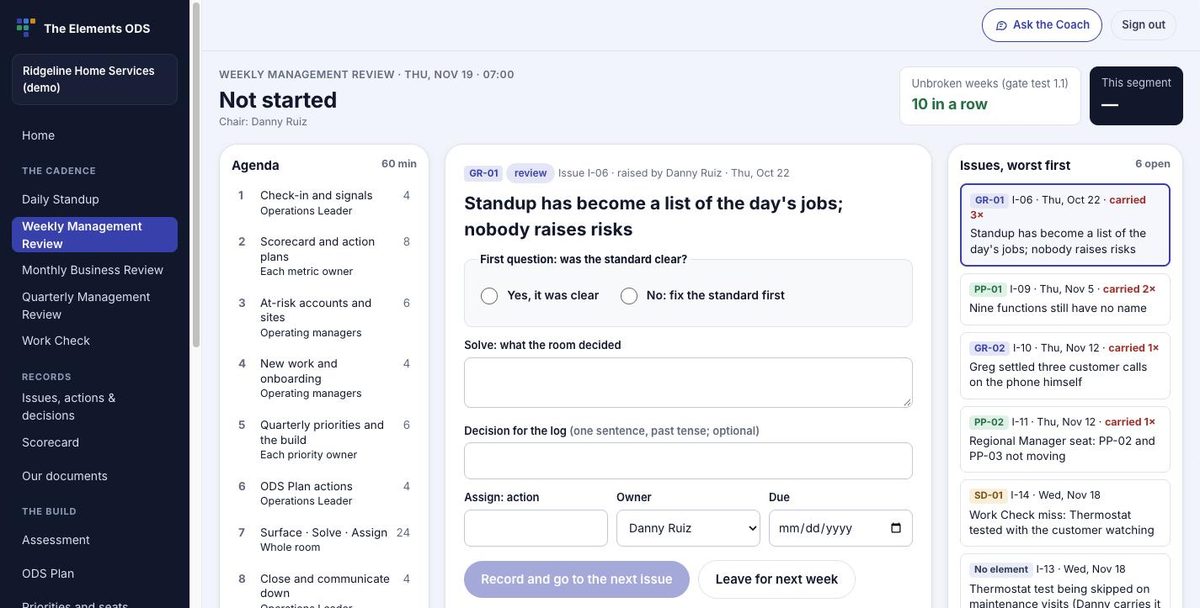
The Weekly Management Review. The agenda and the clock on one side, the worst issues first on the other. Each one ends in a decision, an owner and a date.
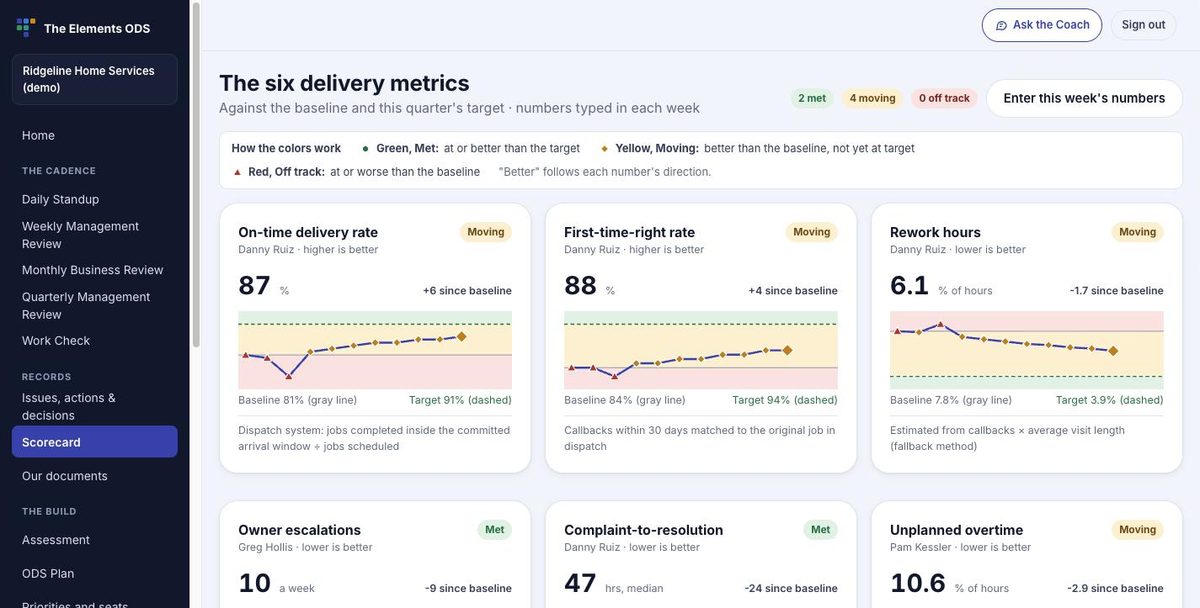
The scorecard. Each of the six numbers against its baseline and target, in green, yellow or red.
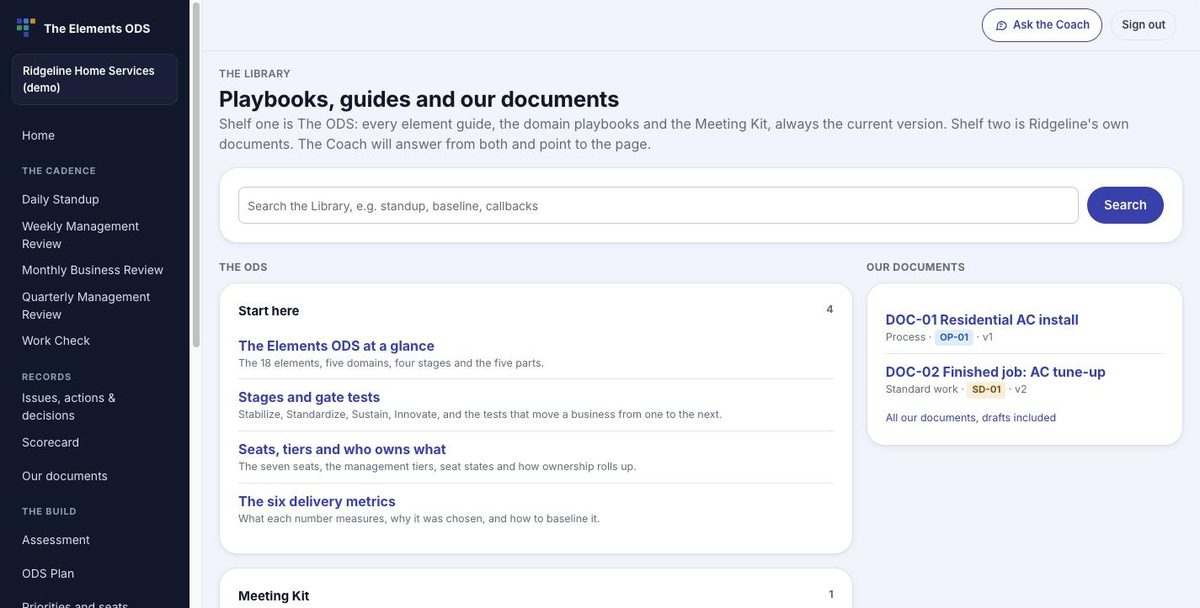
The Library. Every element guide, playbook and Meeting Kit form, next to the business’s own documents.
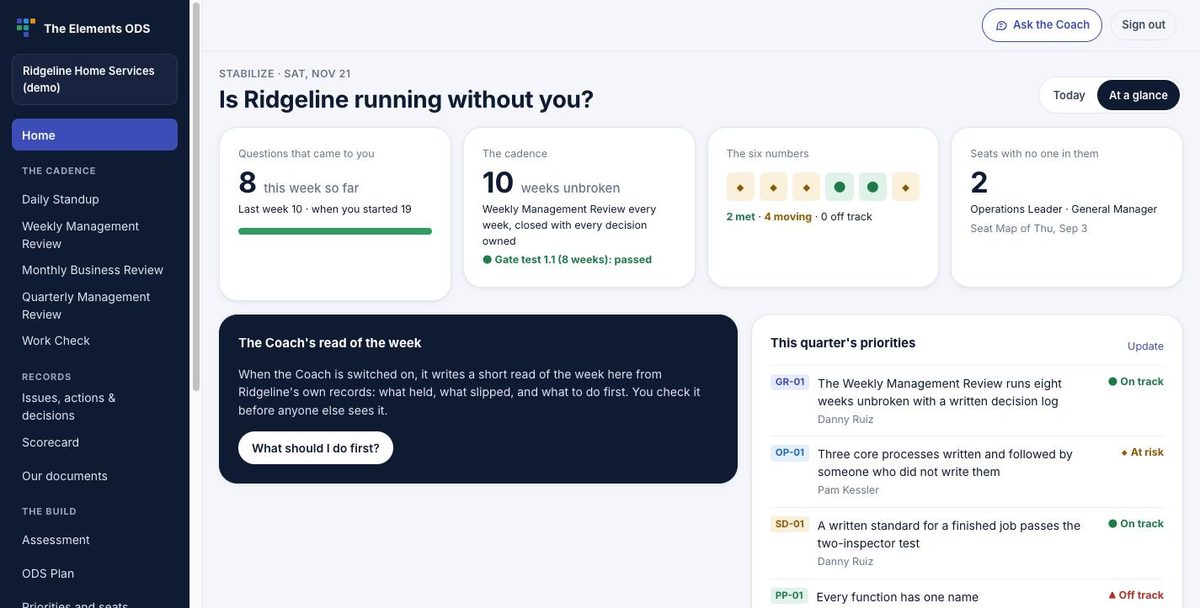
The owner’s home screen. Is the business running without you? Questions that still came to you, the meeting rhythm, the six numbers and empty seats, at a glance.
Shown with the sample business from the book, Ridgeline Home Services. The app is still being built; screens may change before launch.
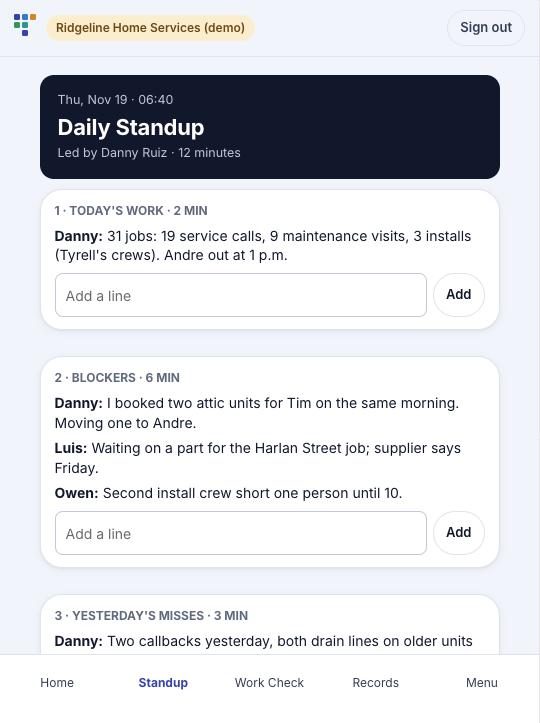
In the field
On the phone in the truck, too.
The Daily Standup, Work Check and the team’s records work on a phone, so crew leads run the day from wherever the work is.
What it does
Everything the system needs, in one place.
The assessment and report-out
The owner, managers and field score all eighteen elements, managers review each other’s areas, and the app turns it into a plain report of where you stand and where to start.
The ODS Plan
Your build, quarter by quarter, as a project plan: every task with one name and one date. Add your own priorities beside the element work.
Meetings that decide
The Daily Standup and the Weekly Management Review, with the agenda built in. Issues, decisions and actions are logged as you go, and anything left open carries forward.
The scorecard
The six delivery numbers, plus any of your own, as charts with red, yellow and green against your baseline and target.
The Library
Every playbook, Meeting Kit form and template, to read on screen or download and print.
Ask the Coach
A coach on every screen that answers questions about the ODS in plain English, so nobody has to wait for the owner.
How you use it
From the first week to every quarter after.
Find out where you stand
Run the assessment, start the baseline of the six numbers, and put one name against every element.
Stabilize
Start the meetings, build Operating Cadence first, and keep no more than three elements in build at once. Test the Stabilize gate at the end of the quarter.
Re-score and build
Re-score, update the ODS Plan, set the next quarter’s priorities from it, and pass each gate on evidence before moving on.
Who leads it
You, or someone you trust.
The app is built for owners. If you would rather hand the rollout to someone on your own staff, the app walks them through it step by step, with everything they need and a clear view of where things stand. You decide when each stage is done.
The terms
In plain English.
One business, your whole team
Priced per user: leaders pay one price, field crews a much lower one. How pricing works.
Yearly or monthly
Pay for the year, or month to month. Paying monthly costs more over a year.
Always current
Every improvement to the system and the app reaches you as it is made.
Your data stays yours
Only your business sees it. Export it any time. How we look after it.
Cancel any time
Keep access to the end of the period you paid for. Refunds and cancelling.
Better with training
Add the Training Library and get 10% off both.
Reading the book?
Two things for readers.
A free read-only app account, so you can look around before you buy, and 10% off your first year of the app and the Training Library with the code printed in the book.
Questions
Before you start.
Do I need a consultant?
No. The app is built for the owner and management team to run themselves, or for someone on your own staff to lead.
How long does it take?
The first stage, Stabilize, takes about ninety days. The whole system is built over one to three years, a quarter at a time.
We are a small team. Is it for us?
Yes. You start with three leader users, usually the owner and two managers, and add people as you go.
Can I print things?
Yes. Every playbook, form and template in the Library can be downloaded and printed.
Does it work on a phone?
Yes. It runs in the browser on a computer, tablet or phone, so crews in the field can use it too.
What if we cancel?
You keep access to the end of the period you paid for, can export your data, and we keep it for 90 days in case you come back.
What is free?
The printable periodic table, the Cost of Chaos calculator, the ODS Quick Assessment and the ODS Starter Plan, free at infrastructure-elements.com/ods for an email address. The Quick Assessment and Starter Plan are a first look; the app has the full assessment and the full ODS Plan.
Want to see it first?
Book a demo and Dave will walk you through it.
Free tools
Get the free tools.
The printable periodic table, the ODS Quick Assessment and the ODS Starter Plan, free. Then one email the day the app and the book are out, and occasional practical notes on running operations.